
24 Months
Data Entry & Case Processors
New SaaS
2 Product Managers
1 Development Manager
120 Developers
5 Data Scienctist & AI Devs
1 UX Design Lead
5 UX Designer
At IBM Watson Health, I led a cross-functional team of 100+ contributors across two business units to design an AI-powered case processing tool. The challenge: case processing was inconsistent and error-prone, but introducing machine learning (ML) and natural language processing (NLP) raised questions of trust, usability, and regulatory compliance. As UX Manager, I defined the design strategy, facilitated alignment across business and technical stakeholders, and mentored an early-career design team through their first large-scale SaaS product. Over 24 months, I guided the team through research, visioning, iteration, and design delivery, balancing the demands of a global client, internal business units, and AI scientists.
Case processing was a manual, inconsistent process, shaped by individual interpretation and heavy documentation for self-protection. Competitor products offered little more than basic data-entry tools, leaving high error rates and inefficiency. Our mission was to design a new SaaS tool that improved speed and consistency for case processors by automating repetitive tasks. The deeper human challenge was building an experience that workers could understand, trust, and adopt when supported by machine learning.

Competitor Landscape: The competitor experiences for the case processor are a basic database of labels and values. The process is highly manual and inconsistent.
Partnered with offering managers and development leadership to validate the business case and assess buyer appetite for AI-driven solutions. Conducted buyer and user interviews to surface pain points and understand levels of trust in AI technology.
Led a two-day design thinking workshop with 34 participants to define user outcomes for each of four release phases. Created empathy maps, outcome statements, and an As-Is journey map of case processing, aligning teams around shared understanding.

Design Concept: Original concepts that I tested with potential buyers was based upon the identifying case reports in literature and was to be another tool for Watson for Drug Discovery.
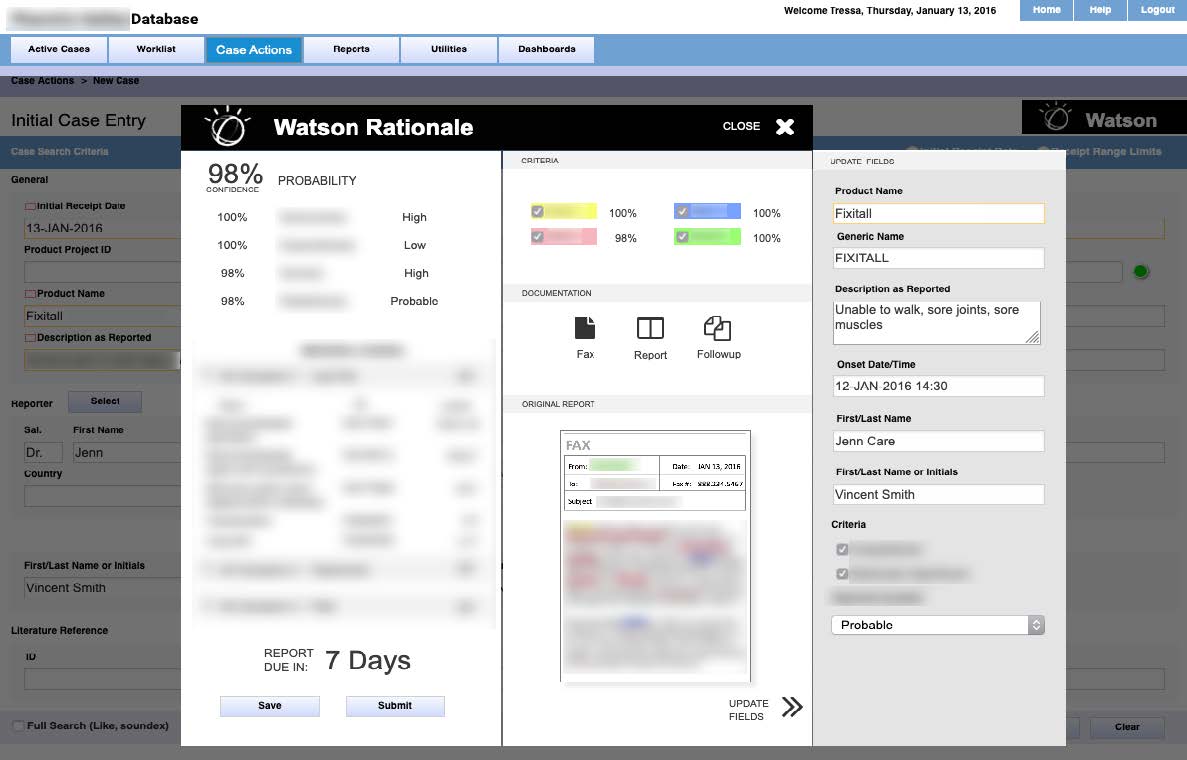
Design Concept: As we started to understand the market better we tested the concept of embedding the API’s within competitor tools.
Onboarded an early-career design team and established a 12-week sprint to produce a product vision and detailed design direction. Balanced speed with alignment, breaking scope into epics and stories for phased delivery.
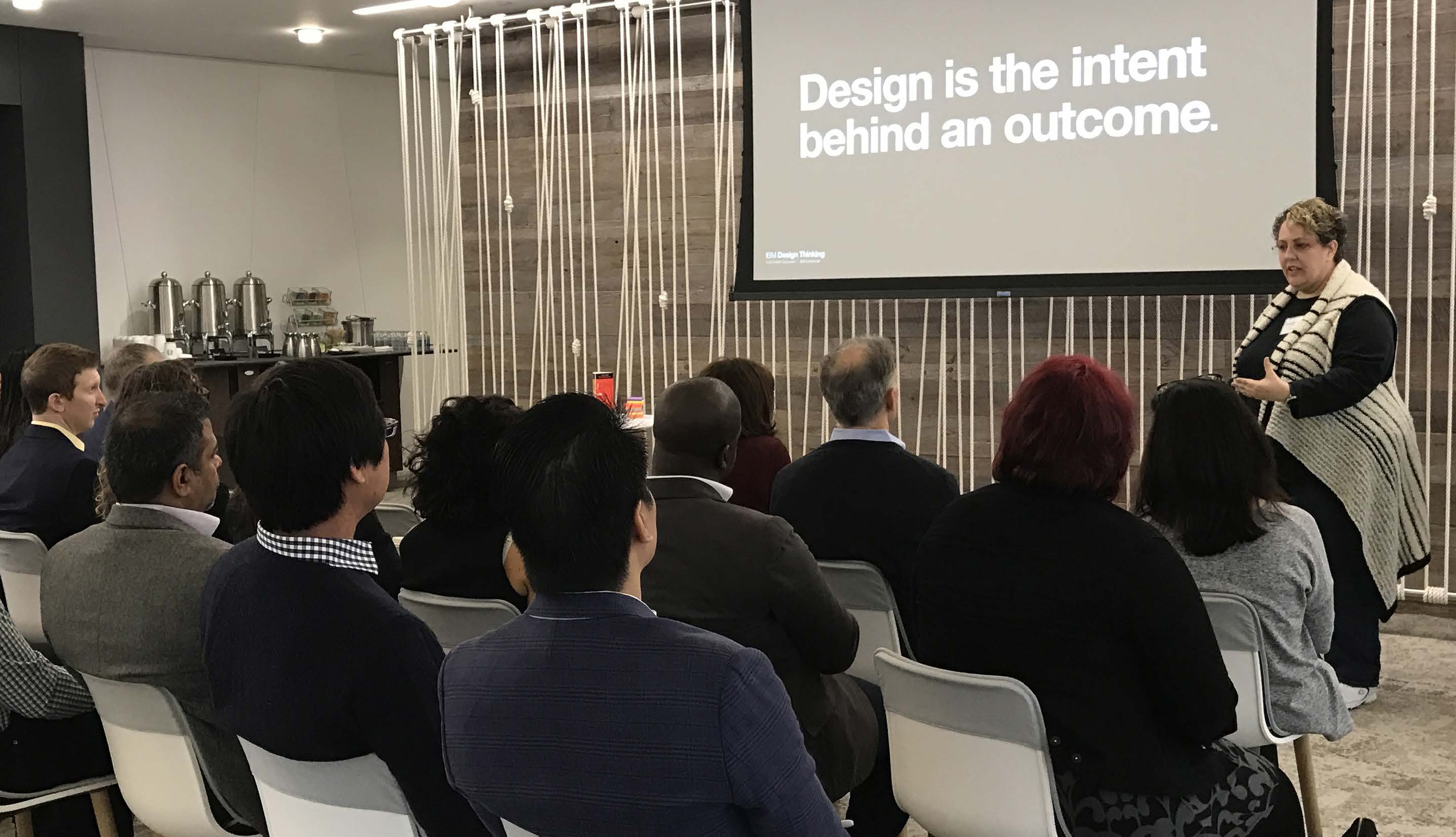
Workshop Facilitation: The workshop team defined 16 proto-persona and crafted 23 expected user outcome statements for the four releases.
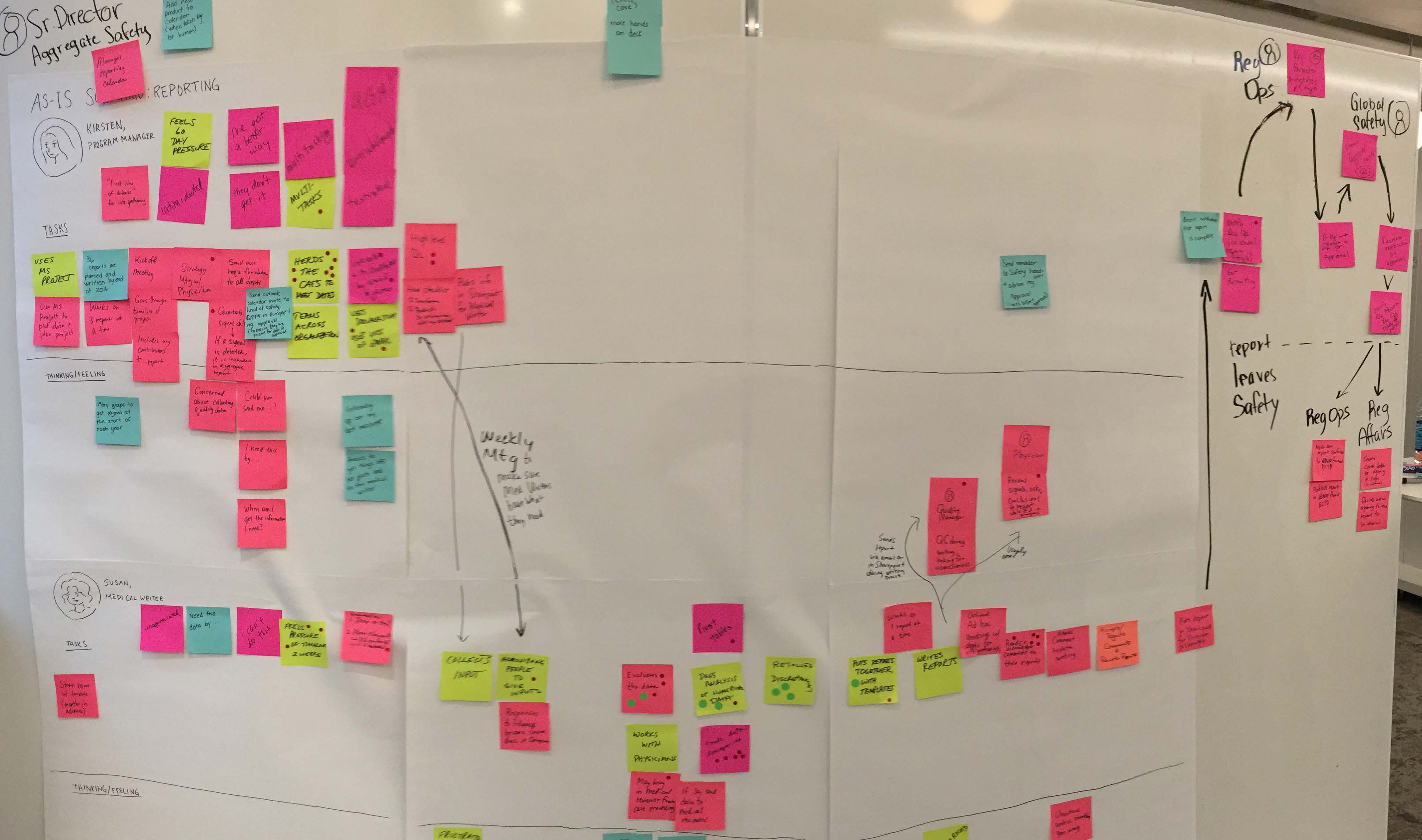
As-Is Journey Map: Mapping the process of case processing meant we had to capture the dependent journey of a case through many users and phases.
Developed narrative user journeys and storyboards to communicate As-Is and To-Be workflows. Iterated wireframes for intake and triage workflows, incorporating regulatory, global, and accessibility requirements. Used vlogs to communicate design intent efficiently and improve quality of feedback.
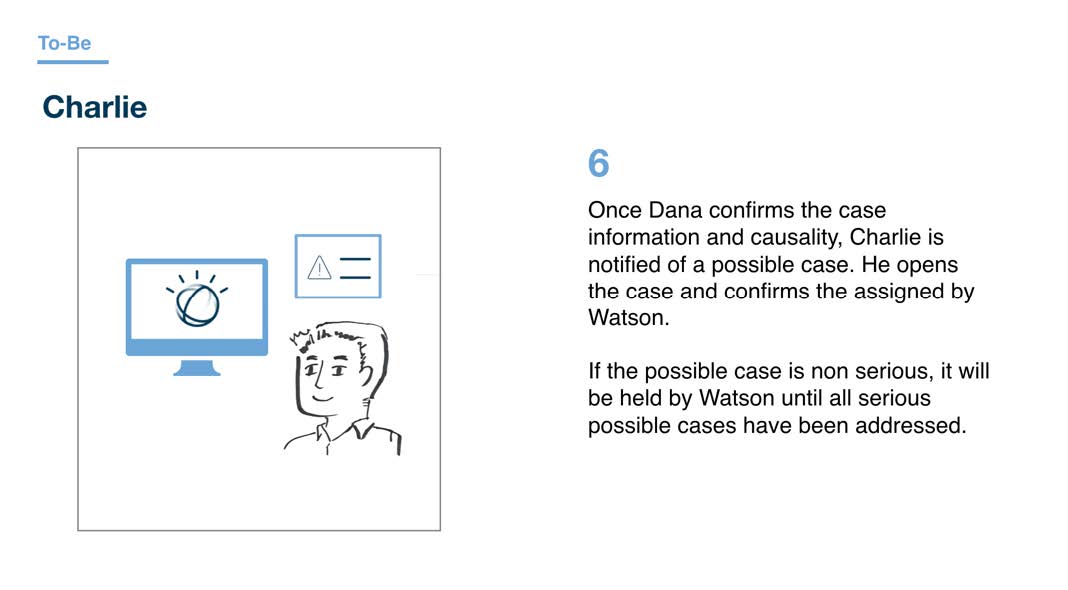
To-Be Storyboard: Using a narrative to walk through the user experience engages the team’s emotions it is also the fastest way to identify the products happy path workflows.

Low-fidelity wireframe: The heart of the case processor’s workflow starts at the case queue. We added sorting, filtering and column controls to improve the workflow.
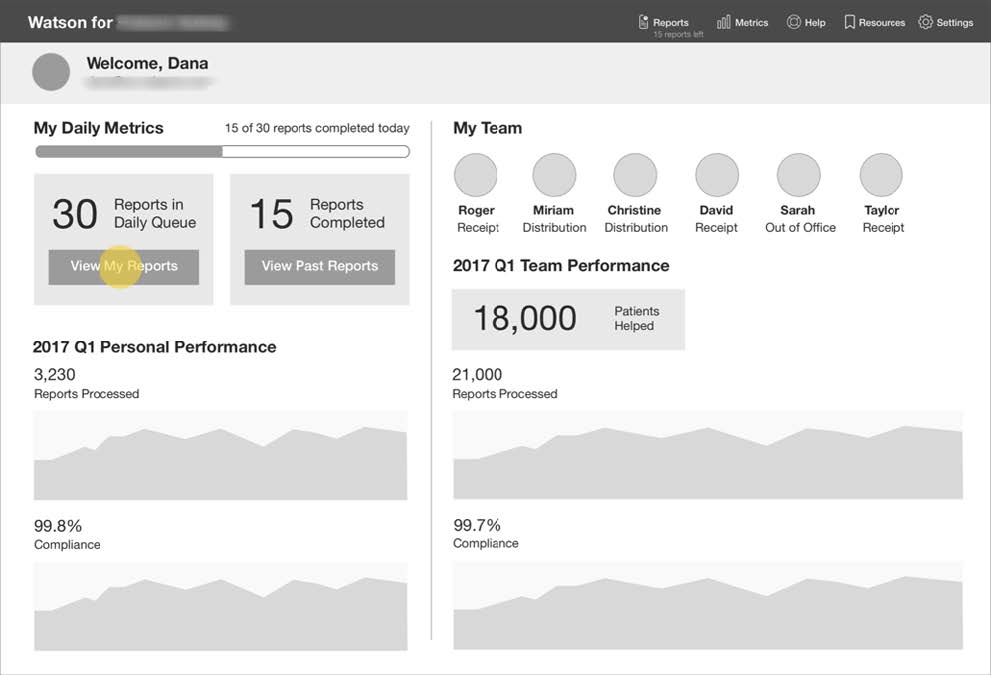
Low-fidelity wireframe: During our contextual inquiry we identified that users wanted to act more like a team. The Daily Metric page concept was born.
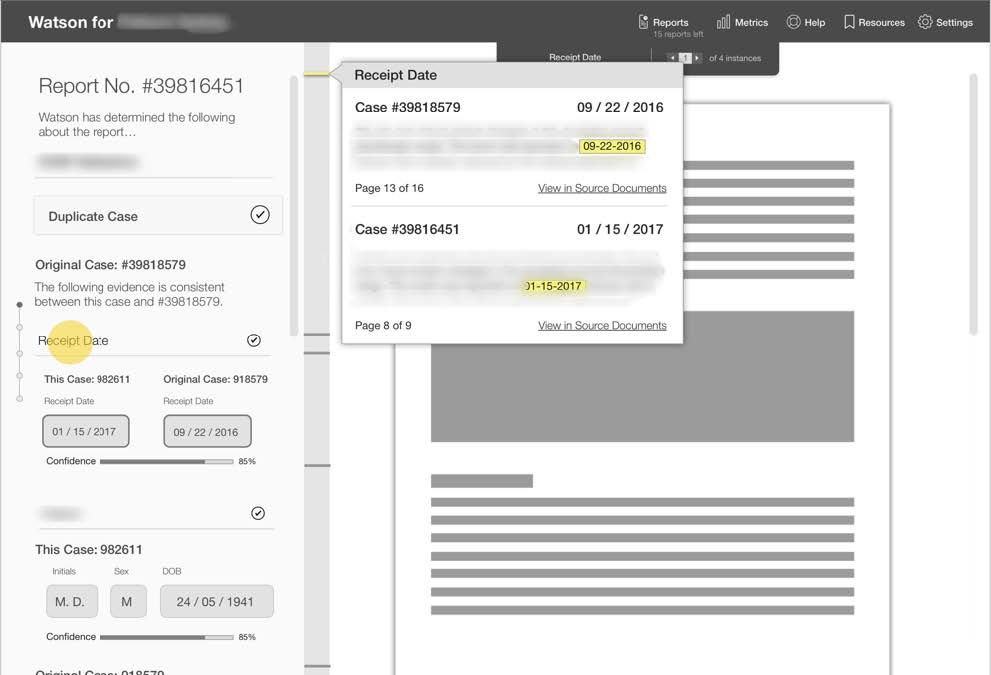
Low-fidelity wireframe: One of the pain points that users experienced was the endless scrolling and scanning multiple long documents for evidence. The new experience auto scrolled the source documents to show the evidence.
When gaps emerged between wireframes and business analyst requirements, I facilitated alignment workshops to reconcile differences. Grouped stories into themes, added design sprints, and re-scoped workflows (e.g., case versioning) to address overlooked pain points.

Process Map: The process map shows the gap in requirements and the pain points that users have with classifying a version. We added additional sprints, epics and stories to address the gaps.
The team delivered and tested a UI that measurably improved speed and consistency in usability sessions and earned client approval. Key outcomes included:
Although the product was not ultimately released to market, the project advanced IBM’s early approach to human–AI interaction and influenced strategies for adoption in regulated domains.

Implemented Software: TThe experience started with the Case Queue, a list of cases that had been assigned to the case processor. The addition of the Past Reports removed the need for the user to self document their work and changes to a case.
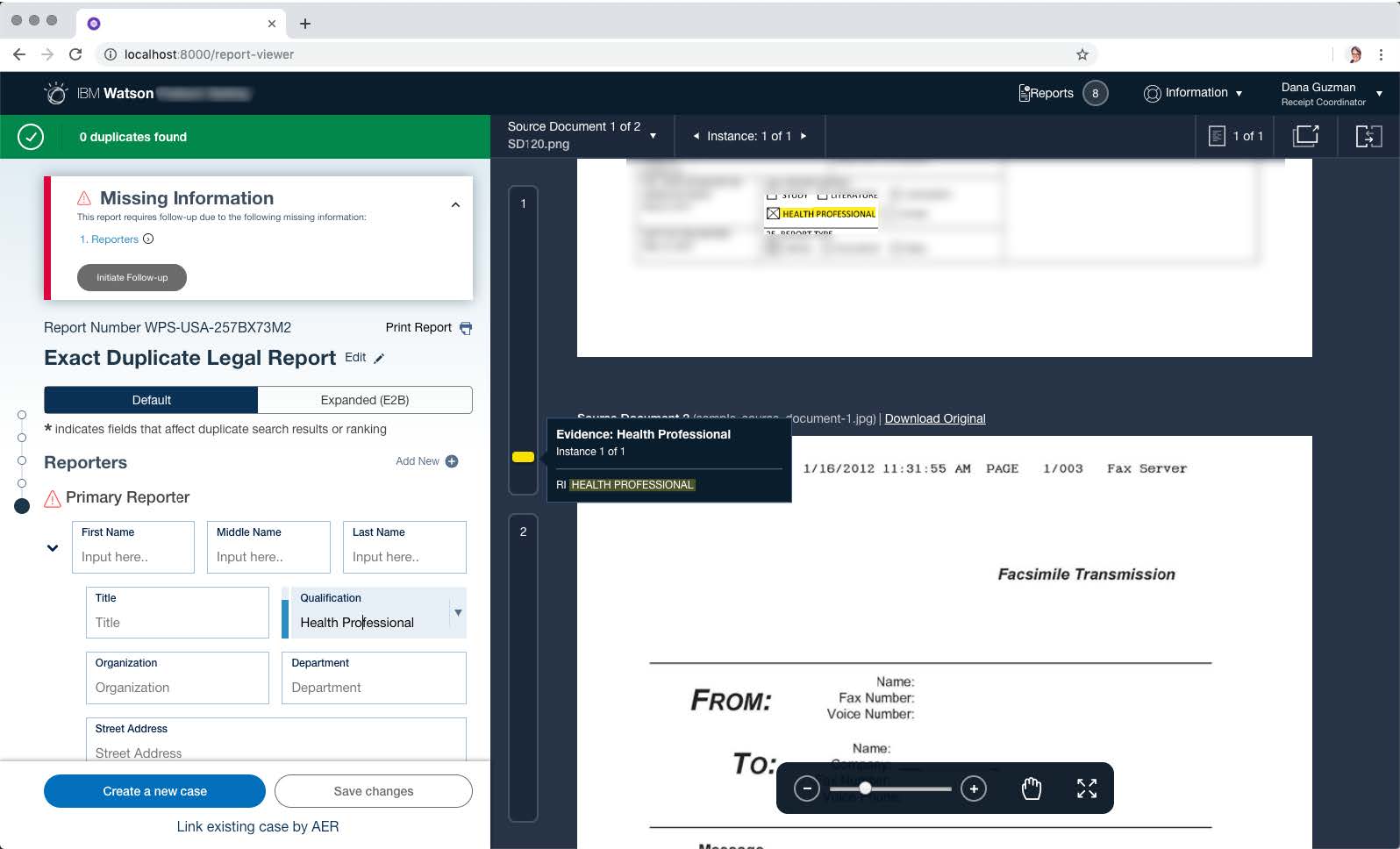
Implemented Software: The Individual Case Report view included evidence highlighting within the cases documentation that eliminated the need for the user to scroll and scan the multiple long case documents.
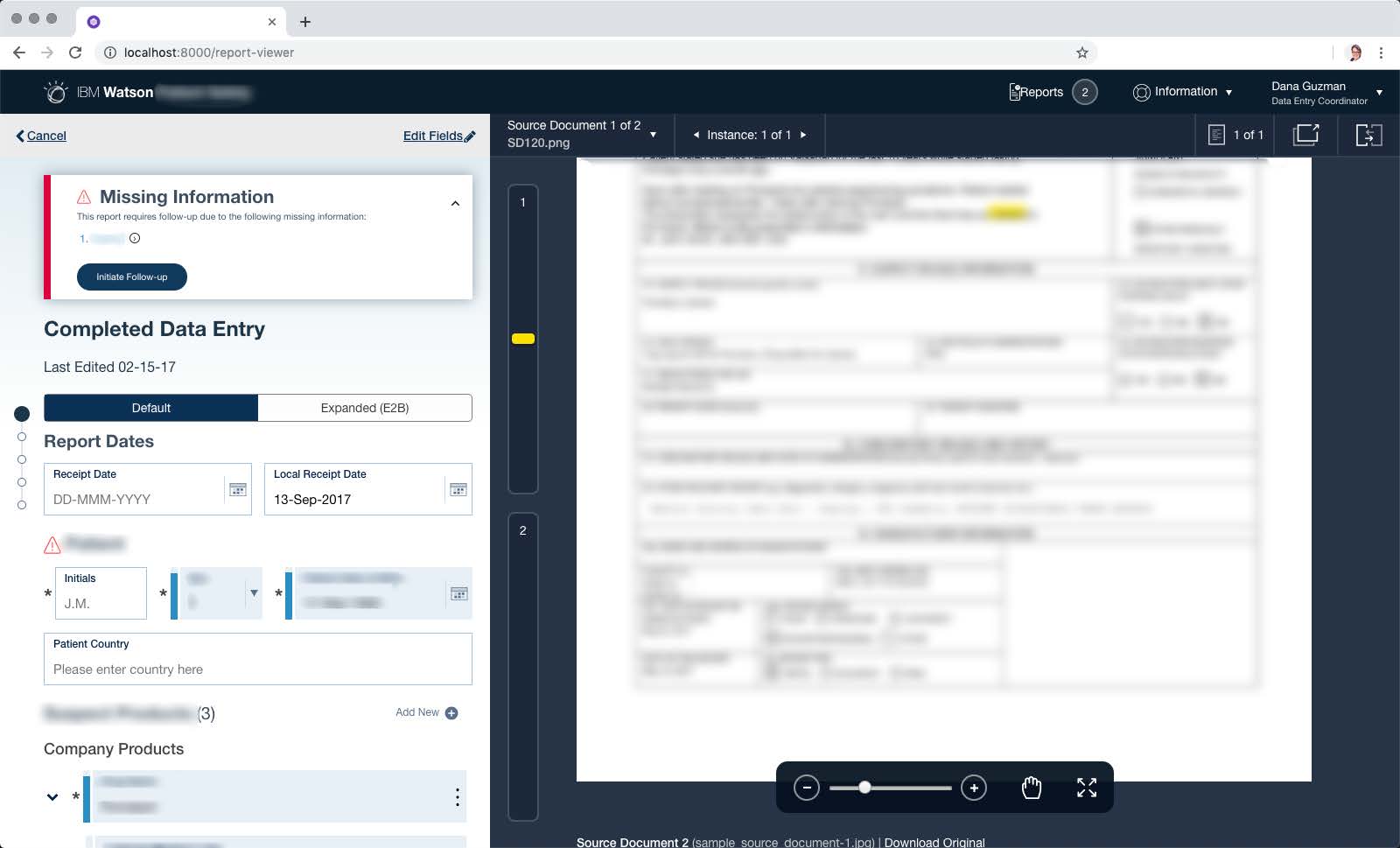
Implemented Software: The Individual Case Report view included the addition of Alerts and Recommended next actions that guided the user to complete their work more quickly.
This project taught me that designing with AI is not just about algorithms, but about building trust: trust in the system, trust in the process, and trust in the team.
